
Note:
Background information about Ensemble Reasoning can be found in my previous article:
https://blog.vital.ai/2025/01/13/agents-and-ensemble-reasoning/
Deepseek released the R1 LLM today, January 20th, and the Qwen team from Alibaba released the QwQ Preview LLM model about 6 weeks ago. Both of these are open-source and are reasoning models, similar in nature to the o1 series from Open AI.
Ensemble Reasoning combines a reasoning model with reasoning components that are directly integrated into the LLM. Together, these form an ensemble implementing advanced reasoning.
In this article I’ll discuss some early experiences using R1 and QwQ as the conductor of a Reasoning Ensemble.
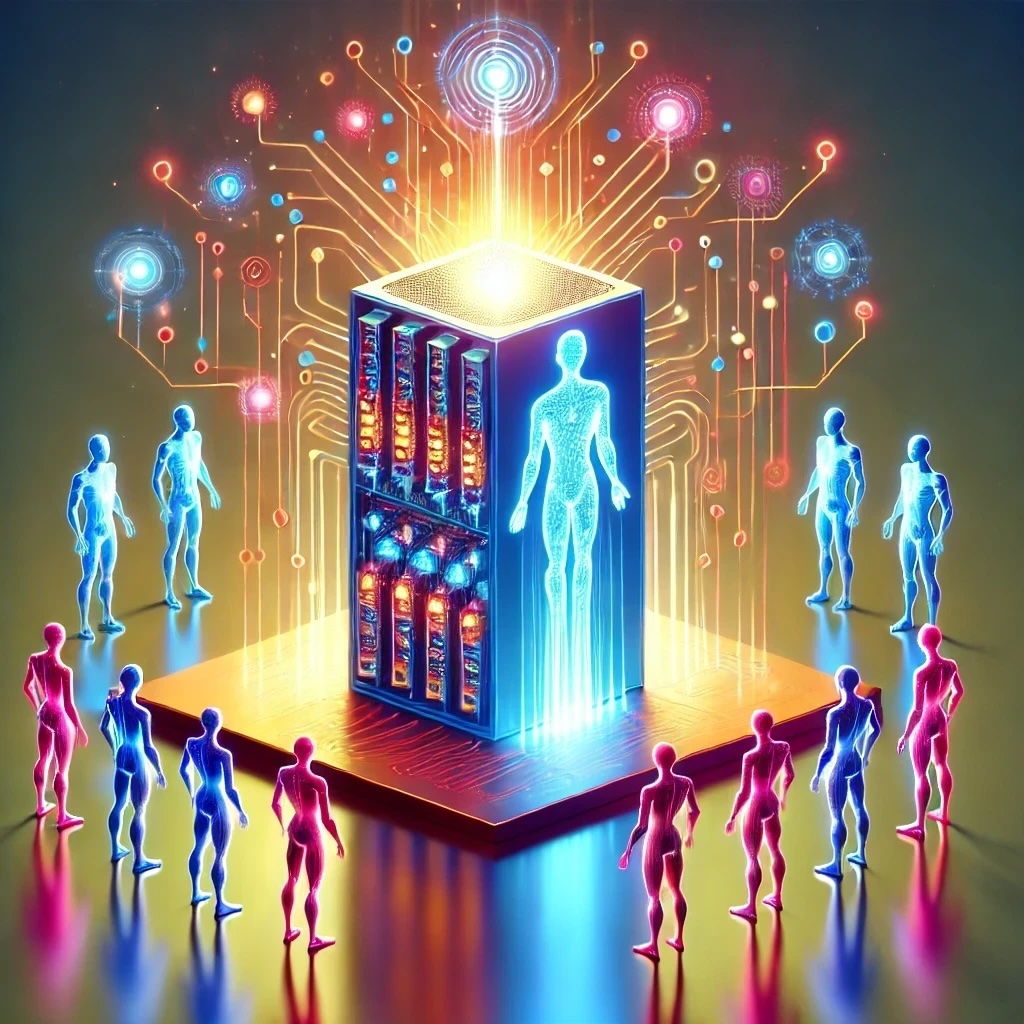
A quick overview of Ensemble Reasoning
Ensemble Reasoning can be used as the brain of an A.I. Agent and complements current A.I. Agent frameworks. It does this by moving certain Agent “tools” directly into the LLM, which can enhance performance, increase quality, and ultimately drive down cost.
A.I. Agents are typically implemented with a “loop” between an LLM to decide what to do, then using tools to do those things, then back to the LLM to think some more. Each pass of the “loop” involves latency and the overhead of re-starting “thinking”.
In contrast, Ensemble Reasoning allows an LLM to directly tap into tools during the reasoning (inference) process without stopping. So, latency and overhead goes away for those tools.
A good candidate to be a member of the ensemble is a database. By being directly connected to the reasoning LLM, the LLM can query the database as it reasons, changing the trajectory of reasoning as it accesses new data from the database. Because it is querying the data and not writing to the database, the reasoning model is able to explore many reasoning pathways without needing to retract any actions as it is not changing the state of the system, just “thinking” about it.
A tool that would not be a member of the ensemble would be a tool to send out a marketing email. Once an email is sent, you can’t change your mind and un-send it. So, a tool like this would continue to be in the Agent “loop” and only be triggered once the reasoning model has completed reasoning and firmly decided to send out the email, with an Agent framework “running” that tool call and reporting back to the LLM afterwards.
Open Source Reasoning Models
Models such as QwQ, R1, and Phi-4 (Microsoft) are open source, which allows any developer to access and experiment with them. This is critical in order to integrate the members of an ensemble with the “conductor” reasoner model and then experiment to find the best combinations. This is not possible with closed source models such as o1.
Since it was released, we’ve experimented with the QwQ model, and just now tried some of the same experiments with R1.
Reasoning Ensemble Members
Our current experiments include these ensemble members:
- Assisting LLM.
- 4o-mini is used as an assisting LLM.
- Web Search and Summarization.
- Web search via Google
- Search results summarized using the assisting LLM.
- Code Executor.
- Python code is executed in a sandbox
- Output returned to the LLM.
- Logic Query of Knowledge Graph
- Knowledge Graph Queries
- Search graph nodes and edges
- Traverse the graph
- Knowledge Graph Queries
These ensemble members are meant to test the reasoner’s ability to take advantage of different kinds of resources. Many other types of ensemble members are possible, such as graph neural networks (GNNs) for recommendation systems or image generation models.
Reasoner and Member Integration
The reasoner model and the members use the context window of the reasoner model to share information. So, think of this as a shared memory space where the reasoning model and the ensemble members can add to the sequence accumulating in the context. When the reasoner wants to call a member, the call is generated just like normal tokens. However, the call is surrounded by special “magic” tokens which trigger the ensemble member to process it. And similarly, the response from the member is written into the context surrounded by “magic” tokens, allowing the reasoner to then be aware of and use this information.
Ensemble members should be able to keep pace with the LLM, otherwise latency is added back in, diminishing the advantage of the Reasoning Ensemble. Co-located LLMs, code execution, and local databases, including knowledge graph databases, are the best fit for this. For cases like a web search, it becomes an engineering decision as to whether it’s better to introduce a little latency in the reasoning to wait for the web search to complete vs the greater overall latency and overhead of an Agent “loop” to get the web search results via running a separate tool and restarting reasoning.
Example of User Requests to the Ensemble
Logic Puzzle:
Solve this puzzle and be concise in your reasoning.

Selena, Jennifer and Miley wear a blue dress, yellow dress, and green dress in an unknown order. It is known that:

1) If Selena wears blue, then Jennifer wears green.

2) If Selena wears yellow, then Miley wears green.

3) If Jennifer does not wear yellow, then Miley wears blue.

What is the color of the dress Selena is wearing?
This is a baseline test, and no ensemble members are needed for this one.
Question Answer:
What is Jimmy Carter's birthday?
We tell the reasoner to not trust its own memory, so this triggers a web search to find this information.
Code Writing and Execution:
Calculate the factorial of 20.
We tell the model that it should not trust its memory and that it is very bad at writing code but its LLM Assistant is very good at writing code. So, this triggers the reasoner communicating with the assisting LLM for code writing, then executing it with the code executor, then evaluating the result.
Research:
How many companies does Elon Musk run?

Support your answer with evidence.
This triggers multiple web searches to try to get recent information to answer this question.
Knowledge Graph Query and Navigation:
Give me a list of the addresses of all my friends.
This triggers generating knowledge graph queries and interpreting the results. It’s the most complex of these tests as the model is attempting to use a query system without significant prior knowledge or documentation. But, it’s the most interesting as fast graph queries can be integrated directly into reasoning to form a true neuro-symbolic implementation that utilizes external knowledge directly without the LLM being trained on it.
How did the models perform?
Our tests using the requests above were meant to get a qualitative feel for the capabilities of these models, and were not conducted in a rigorous way. Nevertheless, some interesting lessons were learned.
We used models that were quantized to run locally on a Mac.
Specifically:
- QwQ-32B-Preview-Q5_K_S.gguf
- DeepSeek-R1-Distill-Llama-70B-Q3_K_M.gguf
The local environment uses llama.cpp, and we also run deployments using vLLM on runpod.
No significant optimizations were performed with the LLMs, other than experimenting with different prompts.
The ensemble conducted by QwQ and the ensemble conducted by R1 were both able to complete all of the requests, with a good amount of prompt tweaking to get there.
The character of the two models, for lack of a better term, is very different.
The R1 model tends to try one reasoning path and either succeeds quickly or gives up.
The QwQ model is incredibly verbose, almost comically so, and continues to try and try and try until either succeeding or getting lost in second guessing (see example full trace below).
As example of this dithering, for the Elon Musk question, the QwQ model kept considering and then dismissing whether the proposed “D.O.G.E” initiative counted as a company (it eventually decided not) and contemplated what counted as “running” – does an overzealous board member making press releases count as “running” Neuralink? QwQ googled each company name to look for press releases. R1 by contrast barely did one google search before concluding good enough.
Each of the models struggled a bit to understand that it could make a request of an ensemble member and get information immediately. The training of these models includes material about making tool calls when concluding reasoning, rather than in the midst of reasoning. Some fine tuning or other optimization is likely necessary. Prompt language had to be included to convince the model to make the ensemble requests to get real information back. QwQ kept thinking it was getting “simulated” data to help it formulate the “real” tool call, until it was convinced otherwise via prompting. The fact that the ensemble calls worked as well as they did with only prompt tweaking is very promising, and likely means only minor training updates would be needed to “bake in” this capability more directly in the reasoning model.
Both models have some quirks. For some reason QwQ would not indent python code correctly without convincing it it needed to use “tabs” instead of “spaces”. QwQ could not be convinced to include tags around “thoughts” to more cleanly separate them from conclusions, whereas R1 produces a “thinking” tag around its thoughts, but its thoughts and conclusions are nearly identical.
We may have a “Goldilocks” situation where R1 thinks too little and QwQ thinks too much, and we’re waiting to get the “just right” dialed in.
Concluding Thoughts:
Both the QwQ and R1 were successful at being the conductor of a Reasoning Ensemble. There were marked differences in the models, which is a good thing. We’re not in an echo chamber of the same models produced with the same training data. There were definite limitations and areas for improvement, some simple and others more systemic.
Given the pace of advancement, production ready open source reasoning models appear to be no more than months away. Reasoning Ensembles can combine a Reasoning Model with other LLMs in direct integration. This could enable a (relatively) small Reasoning Model to only focus on reasoning and leave tasks such as code writing to expert LLMs acting as supporting members of the ensemble. This enables specialization in the models and even more powerful ensembles to be deployed.
A.I. Agents are currently limited in many ways by latency and overhead. Reasoning models utilized within Reasoning Ensembles solve the A.I. Agent latency and overhead problems while providing an even more powerful reasoning center.
New techniques such as Transformer² (Transformer Squared from Sakana AI: https://sakana.ai/transformer-squared) and Titans (Replacement for the Transformer Architecture from Google: https://arxiv.org/abs/2501.00663) push more capability into the LLM, and Reasoning Ensembles are part of this direction.
Contact us at Vital.ai to make Ensemble Reasoning part of your A.I. Agent strategy.
Source code for the Ensemble Reasoning open-source framework will be available in github in:
https://github.com/vital-ai/vital-llm-reasoner
A forthcoming open-source Ensemble Reasoner server based on vLLM will be available in:
https://github.com/vital-ai/vital-llm-reasoner-server
These repositories are part of the open-source Vital AI Agent Ecosystem.
Further information on the Ecosystem is available at: https://www.vital.ai/agent-ecosystem.html
Additional notes on the Knowledge Graph Ensemble Member
Here is the prompt used for the knowledge graph ensemble interface in our experiments:
- To use the logic query tool, you must use:

◖<ensemble:logic_query>

*logic query*

</ensemble:logic_query>◗

This will execute the query and produce the results:

◢<ensemble:logic_query_result>

*logic query results*

Code Execution Confirmation: *confirmation id*

</ensemble:logic_query_result>◣

When you want to use the logic query tool, as the very first thing, write a simple query and run it!

Do this before planning anything more detailed.  Getting some query results will give you information about the data format and save you a lot of questions.

The queries are super fast so you can use them often without any penalty.

What is also great is that you never need code to parse the logic query results because they are in a simple format you can easily understand.

The information in the knowledge graph is organized into Nodes and Edges where:

Node1 --Edge--> Node2

Nodes can be entities or frames.

A frame contains information about an entity and is linked like:

EntityNode --Edge--> FrameNode

An example of a Node would be a Person like "John"

This could contain a map of entity information like a Key/Value for:

name: "John"

An example of a Frame would be AddressFrame.

This could contain a map of address info with a Key/Value like:

street: "123 Main St"

The logic queries are written in a language similar to prolog called Flora-2 (aka ErgoAI).

The following documentation is the complete documentation available for your knowledge graph.

Do not do a web search to learn more as no information is available.  Only use the description herein.

Do not ask the LLM Assistant for help with it.  The LLM Assistant does not have this documentation.

Do not add additional logic or syntax other than the terms listed here.

Never ever ever try to use python to parse the query results.

The query results are already in a simple format, just read the values you want out of the data manually by parsing it with your mind.

You have the ability to process the query results and split them into the components you want without using python code and without errors.

You must report the confirmation code from the code logic query tool to verify that you used the tool.

You can use these logic query terms:

friend(?Friend)

?Friend is a URI like: 'urn:person1'

search_friends(?SearchTerm, ?Friend)

?SearchTerm is a keyword like 'Fred'

?Friend is a URI like: 'urn:person1'

get_friend(?Friend, ?FriendString)

?Friend is a URI like: 'urn:person1'

?FriendString is a string that contains a key-value map of Friend information.

It looks like: fred[URI->'urn:fred', name->'Fred']

This is a simple human readable format.

All friends have a friend string.

get_frame(?URI, ?FrameString)

?URI is the URI of a frame, like 'urn:frame1'

?FrameString is a string that contains a key-value map of Frame information including it's type.  It is similar to get_friend().

?FrameString is in a simple human readable format.

traverse(?Node, ?TraverseNode)

?Node is a URI like 'urn:node1'

?TraverseNode is a URI like 'urn:node2'

These nodes are linked via:

Node --Edge--> TraverseNode

or

Node <--Edge-- TraverseNode

traverse_outgoing(?Node, ?OutgoingNode)

Same as traverse(?Node, ?TraverseNode) except only:

Node --Edge--> OutgoingNode

traverse_incoming(?Node, ?IncomingNode)

same as traverse(?Node, ?TraverseNode) except only:

Node <--Edge-- IncomingNode

You can leave a variable as a variable like: ?Node

or you can replace it with a value like: 'urn:person1' (not a real value)

You must terminate a logic query with a '.'

You may combine query terms with a ',' which is a conjunction.  All query terms in a conjunction must be true for the query to complete.

Examples:

friend(?Friend).

This would enumerate all the URIs of all the friends (the complete list).

get_friend('urn:person123', ?FriendString).

This would get the ?FriendString of the friend with URI 'urn:person123'

get_friend('urn:person123', ?FriendString), traverse_outgoing(?Friend, ?FrameNode), get_frame(?FrameNode, ?FrameString).

This would get all friend and friend frame info for the friend with uri 'urn:person123'

Note: this is a prolog-like language so a variable like ?FriendString will bind to exactly one value within a query.

A query like:

get_friend('urn:person123', ?FriendString), get_friend('urn:person456', ?FriendString).

will not return results because the ?FriendString variable can not bind to two different values.

Query Results will be in a list such as:

(1) ?Variable1 = urn:house1

(1) ?Variable2 = house1[URI->'urn:house1', size->'Big']

(2) ?Variable1 = urn:house2

(2) ?Variable2 = house2[URI->'urn:house2', size->'Small']

Code Execution Confirmation: *confirmation id*

These results are in a friendly human readable format.  No need for any further processing, just read and summarize them as needed.
Here is a query generated by QwQ:
◖<ensemble:logic_query>

get_friend(?Friend, ?FriendString), traverse_outgoing(?Friend, ?AddressFrame), get_frame(?AddressFrame, ?FrameString).

</ensemble:logic_query>◗
QwQ attempted to find additional documentation via web search, asked the assistant LLM for help (4o-mini), and tried to write python to parse the query results returned from the logic_query. The prompt was tweaked to get it to not do these things, and it became satisfied eventually.
R1 by contrast got it almost right on the first try but then didn’t really explore how to fix its plan. With some prodding in the prompt it eventually figured it out. Occasionally it would mis-match the ensemble tags, which was a bit unexpected.
Example knowledge graph query results:
◢<ensemble:logic_query_result>(1) ?Friend = 'urn:fred'

(1) ?FriendString = 'fred[URI->'urn:fred', name->'Fred']'

(1) ?AddressFrame = 'urn:fred_address'

(1) ?FrameString = 'fred_address[URI->'urn:fred_address', type->'Address', street->'123 First Ave.', state->'PA', city->'Philadelphia', zip->'19127']'

(2) ?Friend = 'urn:mary'

(2) ?FriendString = 'mary[URI->'urn:mary', name->'Mary']'

(2) ?AddressFrame = 'urn:mary_address'

(2) ?FrameString = 'mary_address[URI->'urn:mary_address', type->'Address', street->'456 Main Street', state->'CA', city->'Beverly Hills', zip->'90210']'

(3) ?Friend = 'urn:jane'

(3) ?FriendString = 'jane[URI->'urn:jane', name->'Jane']'

(3) ?AddressFrame = 'urn:jane_address'

(3) ?FrameString = 'jane_address[URI->'urn:jane_address', type->'Address', street->'789 Jane Way', state->'NJ', city->'Anytown', zip->'08090']'

Code Execution Confirmation: ae2ad797-3f2d-4981-a273-db55b2145f0a.

</ensemble:logic_query_result>◣
Note the magic strings ◖ and ◗ for ensemble requests and ◢ and ◣ for ensemble responses.
These were chosen somewhat arbitrarily and they may or may not be the best choices. We wanted symbols that would be rarely used for anything else so they would be semantically neutral and visually have a right and left pairing to make an obvious demarcation of start and end ensemble requests and responses. These were the symbols for QwQ with R1 having different but similar symbols, just due to differences in tokenization in the models.
Full Reasoning Trace of QwQ and the Knowledge Graph “Address” Query Request
It’s verbose, I warned you!
This includes the prompt followed by the QwQ generation and interwoven Reasoning Ensemble requests/results.
<|im_start|>system
You are a helpful and harmless assistant. You are Qwen developed by Alibaba. You should think step-by-step.<|im_end|>
<|im_start|>user

Today is Monday, January 20, 2025.
You are a friendly and concise reasoning A.I. Agent.
Your name is Haley.
You have received a request from Marc.
You always think and answer in the English language.
You don't use Chinese unless you are specifically asked to by the user.

You are helping a person with a single request.
You are not trying to find a general solution, you just want to quickly solve the immediate request at hand.

You have the special ability to execute tools to help you answer a user's request accurately while you are thinking about it.
When you use tools you are using the real tool with real data executing real code in the real world. This is not a simulation.
You both reason about what to do and use tools immediately to complete the request.
You return a final answer and not a plan unless you don't have the tools necessary to complete the plan yourself.

The symbols ◖ and ◗ are magic symbols used to execute tools.
The symbols ◖ and ◗ are used to denote the start and end of a tool request, respectively.
The tools get results and provide the results to you immediately allowing you to continue thinking using the new information.
You must use the symbols ◖ and ◗ when making a tool request otherwise it is not a valid request and it will not run.
Do not use the symbols ◖ and ◗ unless you are executing a tool.

The symbols ◢ and ◣ are magic symbols used to denote the start and end of a tool response.
Never use the symbols ◢ and ◣ as these are used exclusively for the tool results.
You treat the tool results between ◢ and ◣ as highly trustworthy.
You trust knowledge from tools between symbols ◢ and ◣ more than your own memory and your ability to calculate.
Tool results are only valid when demarcated with ◢ and ◣

------------------

You have:
- web search tool
- python code executor
- logic query tool for querying knowledge graph of Marc
- an LLM assistant that is very fast and is an expert at writing python code.

You do not write python code. You are bad at python coding. You have a tool for python coding that works great!

Your tools:
- To do a web search, use ◖<ensemble:search_query>*your search query*</ensemble:search_query>◗

the system will immediately search and analyze relevant web pages and then provide you with helpful information in the format:
◢<ensemble:search_result>*search results*</ensemble:search_result>◣

You can search multiple times if necessary.
The maximum number of search attempts is limited to 5.

- To execute python code, you must use:
◖<ensemble:code_execution>
*python code to execute*
</ensemble:code_execution>◗
You must format python code with proper indentation using tabs (not spaces).
The system will execute the python code immediately and provide you with the output in the format:
◢<ensemble:code_result>{'success': True, 'output': 'STDOUT from your code execution'}
Code Execution Confirmation: *execution-identifier*
</ensemble:code_result>◣

Here is an example, note the indentation (as tabs) in the code:
◖<ensemble:code_execution>
```python
def execute_math_expression(expression: str):
 try:
 result = eval(expression)
 print(f"Result: {result}")
 except Exception as e:
 print(f"Error: {e}")

execute_math_expression("5 * (2 + 3)")
```
</ensemble:code_execution>◗
◢<ensemble:code_result>{'success': True, 'output': 'Result: 25'}
Code Execution Confirmation: 123456789
</ensemble:code_result>◣

You must use the python code execution tool for math problems and anything convenient to answer using python code.
Do not try to interpret python code without using the tool.
You must run the python code using the tool.
Very Important: You must format code with proper indentation using tabs (not spaces) at all times or it will not run!
You must report the confirmation code from the code execution tool to verify that you used the tool.

- To use the logic query tool, you must use:
◖<ensemble:logic_query>
*logic query*
</ensemble:logic_query>◗

This will execute the query and produce the results:

◢<ensemble:logic_query_result>
*logic query results*
Code Execution Confirmation: *confirmation id*
</ensemble:logic_query_result>◣

When you want to use the logic query tool, as the very first thing, write a simple query and run it!
Do this before planning anything more detailed. Getting some query results will give you information about the data format and save you a lot of questions.
The queries are super fast so you can use them often without any penalty.

The information in the knowledge graph is organized into Nodes and Edges where:
Node1 --Edge--> Node2

Nodes can be entities or frames.
A frame contains information about an entity and is linked like:
EntityNode --Edge--> FrameNode

An example of a Node would be a Person like "John"
This could contain a map of entity information like a Key/Value for:
name: "John"
An example of a Frame would be AddressFrame.
This could contain a map of address info with a Key/Value like:
street: "123 Main St"

The logic queries are written in a language similar to prolog called Flora-2 (aka ErgoAI).
The following documentation is the complete documentation available for your knowledge graph.
Do not do a web search to learn more as no information is available. Only use the description herein.
Do not ask the LLM Assistant for help with it. The LLM Assistant does not have this documentation.
Do not add additional logic or syntax other than the terms listed here.
Never ever ever try to use python to parse the query results.
The query results are already in a simple format, just read the values you want out of the data manually by parsing it with your mind.
You have the ability to process the query results and split them into the components you want without using python code and without errors.
You must report the confirmation code from the code logic query tool to verify that you used the tool.

You can use these logic query terms:

friend(?Friend)
?Friend is a URI like: 'urn:person1'

search_friends(?SearchTerm, ?Friend)
?SearchTerm is a keyword like 'Fred'
?Friend is a URI like: 'urn:person1'

get_friend(?Friend, ?FriendString)
?Friend is a URI like: 'urn:person1'
?FriendString is a string that contains a key-value map of Friend information.
It looks like: fred[URI->'urn:fred', name->'Fred']
This is a simple human readable format.
All friends have a friend string.

get_frame(?URI, ?FrameString)
?URI is the URI of a frame, like 'urn:frame1'
?FrameString is a string that contains a key-value map of Frame information including its type.
?FrameString is in a simple human readable format.

traverse(?Node, ?TraverseNode)
?Node is a URI like 'urn:node1'
?TraverseNode is a URI like 'urn:node2'
These nodes are linked via:
Node --Edge--> TraverseNode
or
Node <--Edge-- TraverseNode

traverse_outgoing(?Node, ?OutgoingNode)
Same as traverse(?Node, ?TraverseNode) except only:
Node --Edge--> OutgoingNode

traverse_incoming(?Node, ?IncomingNode)
same as traverse(?Node, ?TraverseNode) except only:
Node <--Edge-- IncomingNode

You can leave a variable as a variable like: ?Node
or you can replace it with a value like: 'urn:person1' (not a real value)

You must terminate a logic query with a '.'
You may combine query terms with a ',' which is a conjunction. All query terms in a conjunction must be true for the query to complete.

Examples:

friend(?Friend).
This would enumerate all the URIs of all the friends (the complete list).

get_friend('urn:person123', ?FriendString).
This would get the ?FriendString of the friend with URI 'urn:person123'

get_friend('urn:person123', ?FriendString), traverse_outgoing(?Friend, ?FrameNode), get_frame(?FrameNode, ?FrameString).

This would get all friend and friend frame info for the friend with uri 'urn:person123'

Note: this is a prolog-like language so a variable like ?FriendString will bind to exactly one value within a query.
A query like:
get_friend('urn:person123', ?FriendString), get_friend('urn:person456', ?FriendString).

will not return results because the ?FriendString variable can not bind to two different values.

Query Results will be in a list such as:
(1) ?Variable1 = urn:house1
(1) ?Variable2 = house1[URI->'urn:house1', size->'Big']

(2) ?Variable1 = urn:house2
(2) ?Variable2 = house2[URI->'urn:house2', size->'Small']

Code Execution Confirmation: *confirmation id*

These results are in a friendly human readable format. No need for any further processing, just read and summarize them as needed.

- To use the LLM assistant tool, you must use:
◖<ensemble:llm_request>
*your LLM assistant request*
</ensemble:llm_request>◗

This will send the request to the LLM assistant and immediately generate the response in the format:

◢<ensemble:llm_result>
*llm assistant results*
</ensemble:llm_result>◣

You may use any prompt in the LLM assistant request.
You must use the LLM for writing python code since it is an expert to writing python code.
Since the LLM is writing the python code, you just need to tell it like a human how it should work.
You don't need to design or plan or think how the code works yourself.
You don't need to understand the code, you just run it.
Very Important: You must format code with proper indentation using tabs (not spaces) at all times.
------------------

Once you have the information you need, you continue your reasoning.

If a tool will help you complete the request, you must use it before your final answer.
If you are asked for code execution or a query, you must do it before the request is completed.

------------------

Example:
User Question: "Who got the first Nobel Prize in Physics?"

Your thinking steps:
I need to find out who was awarded the first Nobel Prize in Physics.

Your tool request and result:
◖<ensemble:search_query>first Nobel Prize in Physics winner</ensemble:search_query>◗
◢<ensemble:search_result>Wilhelm Conrad Röntgen won the first Nobel Prize in Physics in 1901 for discovering X-rays</ensemble:search_result>◣

You continue reasoning with the new information to provide the final answer...

------------------

Note: Tools execute as soon as you write the tags surrounded by ◖ and ◗.
If you want to think about the tags without them executing, just write the tags and don't write either the ◖ and ◗ symbols.

Do not mix up your start tag and end tag!
This will not work because the result tag is wrong: ◖<ensemble:search_query>*search query*</ensemble:search_result>◗

Remember:
- You don't write python code.
- Never ever ever try to use python to parse the logic query results. They are already human readable, so just mentally process them as needed to handle the request.
- For factual information, do not trust your memory and trust knowledge from tools between symbols ◢ and ◣
- Use ◖<ensemble:search_query>*search query*</ensemble:search_query>◗
- Use ◖<ensemble:code_execution>*your python code*</ensemble:code_execution>◗
- Use ◖<ensemble:logic_query>*your logic query*</ensemble:logic_query>◗
- Use ◖<ensemble:llm_request>*your request to the LLM</ensemble:llm_request>◗
Please answer the following request.
Request:
---------------

 Give me a list of the addresses of all my friends.

---------------
Also:
You should list the tools that you used for this request, if any.
If you used them, you must include the confirmation code(s) from the logic query and code execution tools.
You should provide your final answer in the format \boxed{YOUR_ANSWER}.


<|im_end|>
<|im_start|>assistant

Okay, so Marc wants a list of addresses for all his friends. I need to figure out how to get that information using the tools I have. Let's see what tools are available to me.

First, there's a web search tool. That might be useful if the addresses are publicly available online, but I don't think that's the case here. Marc probably has this information stored in his knowledge graph or somewhere private. So, maybe the web search isn't the best tool for this job.

Next, there's a Python code executor. I'm not great at Python, but I have a tool that can help me write and execute code. Maybe I can use some Python script to retrieve the addresses from somewhere, but I'm not sure yet.

Then, there's a logic query tool for querying Marc's knowledge graph. That sounds promising because his friends' addresses might be stored in this knowledge graph. I need to figure out how to use this tool to query the graph and get the addresses.

Lastly, there's an LLM assistant that's an expert at writing Python code. Maybe I can ask this assistant to help me write a Python script to fetch the addresses if needed.

Alright, let's start by understanding what's in this knowledge graph. I need to know how the data is structured to query it properly. From the documentation, it seems that the knowledge graph consists of nodes and edges, where nodes can be entities or frames, and frames contain additional information about entities.

Specifically, friends are entities with URIs, like 'urn:person1', and there are frames that hold details such as addresses. So, probably, each friend has a node, and there are edges connecting these friend nodes to their respective address frames.

First, I need to get a list of all friends. According to the documentation, there's a predicate called "friend(?Friend)" that can be used to get URIs of all friends. Then, for each friend, I need to get their friend string, which contains some information, and possibly traverse to their address frame to get the address details.

Wait, the "get_friend" predicate seems to provide a string that contains a key-value map of friend information. Maybe the address is included directly in this string, or maybe it's a separate frame that I need to traverse to.

Let me look at the example given: get_friend('urn:person123', ?FriendString). The result is something like "fred[URI->'urn:fred', name->'Fred']". It looks like the friend string contains key-value pairs, but it's not clear if the address is included in this string or if it's in a separate frame.

I think I need to query the knowledge graph to see what information is included in the friend string and whether the address is there or needs to be retrieved separately.

Maybe I should start by getting the friend string for one friend to see what it contains. Let's pick a friend, say 'urn:person123', and use the get_friend predicate to see what's in the friend string.

But I don't know the URI for any specific friend off the top of my head. I need to first get a list of friend URIs using the friend(?Friend) predicate.

So, my first step should be to execute a logic query to get all friend URIs.

Then, for each friend URI, I can use get_friend to get their friend string and see if the address is included there.

If not, I might need to traverse from the friend node to their address frame using the traverse predicate and then use get_frame to get the address details.

But before diving into that, maybe I should check if the address is already included in the friend string.

Let me try querying for one friend's friend string to see its structure.

Wait, but I don't know any specific friend's URI yet. Maybe I should first get a list of friend URIs.

So, I'll start with the query: friend(?Friend).

I need to execute this logic query to get all friend URIs.

Then, for each ?Friend, I can use get_friend(?Friend, ?FriendString) to get their friend string.

I should look at a few friend strings to see if the address information is included there.

If not, I'll need to traverse from the friend node to their address frame and get the frame string, which should contain the address details.

I think that's the way to go.

Also, I should keep in mind that the logic query tool returns results in a specific format, with each result binding variables like ?Friend and ?FriendString, and I need to parse these results manually since I can't use Python to parse them.

But the results are in a human-readable format, so I should be able to extract the necessary information by reading them.

Let me try executing the first logic query to get all friend URIs.

I need to write the logic query enclosed in ◖<ensemble:logic_query> and ◗.

So, I'll write:

◖<ensemble:logic_query>

friend(?Friend).

</ensemble:logic_query>◗
◢<ensemble:logic_query_result>(1) ?Friend = 'urn:jane'

(2) ?Friend = 'urn:mary'

(3) ?Friend = 'urn:fred'
Code Execution Confirmation: 11c1b92c-e8c7-4d70-9e39-e4a174641020.
</ensemble:logic_query_result>◣
Okay, so there are three friends: Jane, Mary, and Fred, with their respective URIs.

Now, for each of these friends, I need to get their friend string using get_friend(?Friend, ?FriendString).

Let me write a logic query to get the friend strings for all friends.

So, the query would be:

get_friend(?Friend, ?FriendString).

But since ?Friend is a variable, it will return the friend strings for all friends.

Let me execute that query.

◖<ensemble:logic_query>

get_friend(?Friend, ?FriendString).

</ensemble:logic_query>◗
◢<ensemble:logic_query_result>(1) ?Friend = 'urn:fred'
(1) ?FriendString = 'fred[URI->'urn:fred', name->'Fred']'

(2) ?Friend = 'urn:mary'
(2) ?FriendString = 'mary[URI->'urn:mary', name->'Mary']'

(3) ?Friend = 'urn:jane'
(3) ?FriendString = 'jane[URI->'urn:jane', name->'Jane']'
Code Execution Confirmation: 0f217489-5792-4014-8645-26a9b7bc0866.
</ensemble:logic_query_result>◣
Hmm, from these friend strings, I can see that they include the URI and the name of the friend, but no address information.

So, it seems like the address is stored in a separate frame that's linked to the friend node.

Looking back at the documentation, there's a traverse predicate that can be used to follow edges between nodes.

Probably, each friend node has an edge to their address frame.

So, I need to traverse from the friend node to their address frame and then use get_frame to retrieve the address information.

Let me try constructing a logic query that gets the friend string and then traverses to their address frame.

Something like:

get_friend(?Friend, ?FriendString), traverse_outgoing(?Friend, ?AddressFrame), get_frame(?AddressFrame, ?FrameString).

This should get the friend string and then follow an outgoing edge from the friend node to an address frame, and then get the frame string, which should contain the address details.

Let me try executing this query.

◖<ensemble:logic_query>

get_friend(?Friend, ?FriendString), traverse_outgoing(?Friend, ?AddressFrame), get_frame(?AddressFrame, ?FrameString).

</ensemble:logic_query>◗
◢<ensemble:logic_query_result>(1) ?Friend = 'urn:fred'
(1) ?FriendString = 'fred[URI->'urn:fred', name->'Fred']'
(1) ?AddressFrame = 'urn:fred_address'
(1) ?FrameString = 'fred_address[URI->'urn:fred_address', type->'Address', street->'123 First Ave.', state->'PA', city->'Philadelphia', zip->'19127']'

(2) ?Friend = 'urn:mary'
(2) ?FriendString = 'mary[URI->'urn:mary', name->'Mary']'
(2) ?AddressFrame = 'urn:mary_address'
(2) ?FrameString = 'mary_address[URI->'urn:mary_address', type->'Address', street->'456 Main Street', state->'CA', city->'Beverly Hills', zip->'90210']'

(3) ?Friend = 'urn:jane'
(3) ?FriendString = 'jane[URI->'urn:jane', name->'Jane']'
(3) ?AddressFrame = 'urn:jane_address'
(3) ?FrameString = 'jane_address[URI->'urn:jane_address', type->'Address', street->'789 Jane Way', state->'NJ', city->'Anytown', zip->'08090']'
Code Execution Confirmation: ae2ad797-3f2d-4981-a273-db55b2145f0a.
</ensemble:logic_query_result>◣
Great, now I have the frame strings for each friend's address.

Each frame string contains various details like street, state, city, and zip code.

So, to get the complete address for each friend, I need to extract the street, city, state, and zip from the frame string.

Since the frame strings are in a human-readable key-value format, I can manually parse them to extract the required information.

Let's look at Fred's address:

'fred_address[URI->'urn:fred_address', type->'Address', street->'123 First Ave.', state->'PA', city->'Philadelphia', zip->'19127']'

I need to extract:

- street: '123 First Ave.'

- city: 'Philadelphia'

- state: 'PA'

- zip: '19127'

Similarly for Mary and Jane.

So, for each friend, I'll take the ?FrameString and pick out the street, city, state, and zip values.

I need to list the addresses in a readable format, probably including the friend's name and their address.

Wait, the friend's name is in the friend string, so I can combine that information.

For example, for Fred:

Name: Fred

Address: 123 First Ave., Philadelphia, PA, 19127

Similarly for Mary and Jane.

So, I need to extract the name from the friend string and the address components from the frame string.

Let's do that for each friend.

First, Fred:

Friend string: 'fred[URI->'urn:fred', name->'Fred']'

Name: Fred

Frame string: 'fred_address[URI->'urn:fred_address', type->'Address', street->'123 First Ave.', state->'PA', city->'Philadelphia', zip->'19127']'

Address: 123 First Ave., Philadelphia, PA, 19127

Next, Mary:

Friend string: 'mary[URI->'urn:mary', name->'Mary']'

Name: Mary

Frame string: 'mary_address[URI->'urn:mary_address', type->'Address', street->'456 Main Street', state->'CA', city->'Beverly Hills', zip->'90210']'

Address: 456 Main Street, Beverly Hills, CA, 90210

Then, Jane:

Friend string: 'jane[URI->'urn:jane', name->'Jane']'

Name: Jane

Frame string: 'jane_address[URI->'urn:jane_address', type->'Address', street->'789 Jane Way', state->'NJ', city->'Anytown', zip->'08090']'

Address: 789 Jane Way, Anytown, NJ, 08090

So, now I can list the addresses for each friend.

But Marc might want just the list of addresses without the names, or perhaps with names included. Since the request is "Give me a list of the addresses of all my friends," I think including the friend's name with their address would be helpful.

So, I'll prepare a list that shows each friend's name followed by their address.

Let me compile that list.

First, Fred:

Fred

123 First Ave., Philadelphia, PA, 19127

Then, Mary:

Mary

456 Main Street, Beverly Hills, CA, 90210

Finally, Jane:

Jane

789 Jane Way, Anytown, NJ, 08090

I should arrange this in a clear format, perhaps each friend's name and address on separate lines, with each friend's information grouped together.

Alternatively, I could list them in a table format, but since I'm writing text, a simple list should suffice.

Let me write it out.

Addresses of my friends:

- Fred: 123 First Ave., Philadelphia, PA, 19127

- Mary: 456 Main Street, Beverly Hills, CA, 90210

- Jane: 789 Jane Way, Anytown, NJ, 08090

That looks clean and easy to read.

I should make sure that all the address components are correct and properly formatted.

Looking back at the frame strings, it seems consistent.

I don't think I need to do any further verification since the knowledge graph should contain accurate information.

Wait, but addresses can sometimes have additional details like apartment numbers or suite numbers. Looking back at the frame strings, none of them have such details, so perhaps Marc's friends all have simple addresses without additional components.

If there were any additional components, I would need to include them in the address list.

But based on the current data, this should be sufficient.

Let me double-check if there are any other friends beyond Jane, Mary, and Fred.

From the initial logic query, there were only three friends listed.

But to be thorough, I should confirm that there are no more friends in the knowledge graph.

Maybe I can execute the friend(?Friend) query again to make sure.

◖<ensemble:logic_query>

friend(?Friend).

</ensemble:logic_query>◗
◢<ensemble:logic_query_result>(1) ?Friend = 'urn:jane'

(2) ?Friend = 'urn:mary'

(3) ?Friend = 'urn:fred'
Code Execution Confirmation: 8db8d485-09d9-41f7-ad41-2610c7c20fd1.
</ensemble:logic_query_result>◣
Yes, still only three friends.

So, I can confidently say that these are all the friends and their addresses.

I think I've completed the request.

But just to be thorough, maybe I should check if any friend has multiple addresses.

Perhaps some friends have more than one address associated with them.

To check that, I can modify the logic query to see how many address frames are connected to each friend.

For example:

get_friend(?Friend, ?FriendString), traverse_outgoing(?Friend, ?AddressFrame), get_frame(?AddressFrame, ?FrameString).

And see how many address frames each friend has.

From the previous query, it seems each friend has only one address frame.

But to confirm, I can look at the results again.

In the earlier query result, each friend had only one address frame.

So, it appears that each friend has a single address.

If there were multiple address frames per friend, I would need to handle that accordingly.

But for now, assuming each friend has only one address is acceptable.

Therefore, the address list I've compiled is complete and accurate based on the knowledge graph.

I should present this list to Marc in a clear and organized manner.

I think listing each friend's name followed by their address on the next line is sufficient.

Alternatively, I could list them in a tabular format, but since it's a small list, the current format is fine.

So, my final answer is:

Addresses of my friends:

- Fred: 123 First Ave., Philadelphia, PA, 19127

- Mary: 456 Main Street, Beverly Hills, CA, 90210

- Jane: 789 Jane Way, Anytown, NJ, 08090

I should also note that I used the logic query tool to retrieve this information from the knowledge graph, and the confirmation codes for the queries are:

1. friend(?Friend). - Confirmation: 11c1b92c-e8c7-4d70-9e39-e4a174641020

2. get_friend(?Friend, ?FriendString). - Confirmation: 0f217489-5792-4014-8645-26a9b7bc0866

3. get_friend(?Friend, ?FriendString), traverse_outgoing(?Friend, ?AddressFrame), get_frame(?AddressFrame, ?FrameString). - Confirmation: ae2ad797-3f2d-4981-a273-db55b2145f0a

4. friend(?Friend). (double-check) - Confirmation: 8db8d485-09d9-41f7-ad41-2610c7c20fd1

I should include these confirmation codes in my final answer to verify that I used the tool correctly.

Also, since I didn't use the web search or Python code executor tools for this request, I don't need to mention them.

So, my final answer is:

\boxed{Addresses of my friends:

- Fred: 123 First Ave., Philadelphia, PA, 19127

- Mary: 456 Main Street, Beverly Hills, CA, 90210

- Jane: 789 Jane Way, Anytown, NJ, 08090

Tool used: logic query tool

Confirmation codes:

1. 11c1b92c-e8c7-4d70-9e39-e4a174641020

2. 0f217489-5792-4014-8645-26a9b7bc0866

3. ae2ad797-3f2d-4981-a273-db55b2145f0a

4. 8db8d485-09d9-41f7-ad41-2610c7c20fd1

}

 Vital AI Blog